
Sourced diagnostic guide · 7 min read
Why a Full-Page Screenshot Misses Your Scrolling Panel on Mac
Diagnose clipped panels, virtualized rows and broken joins, then check a scrolling screenshot with a numbered-content protocol.

Ali AbouelattaFounder and writer on product growth, monetization, and screenshots.
A full-page screenshot can include the footer and still miss most of a table.
If the table scrolls inside its own panel, capturing the surrounding page does not establish that you captured every row. Before changing tools, identify which part of the interface actually moves. A dashboard can contain several independent scroll areas, each showing a different slice of its content.
This confusion appears in two specific public reports. On April 15, 2021, a developer asked why html2canvas captured only the visible part of a scrolling div. On January 7, 2026, another reported the same expectation gap with Playwright 1.57.0 element screenshots. The latter issue was marked closed as not planned when checked on September 19, 2026.
Both reports distinguish selecting a container from capturing everything inside it.
Find the thing that scrolls
Chrome documents separate full-page, area, and node screenshot methods, including nodes larger than the screen. Those options describe different capture targets. A tall node and a short panel that clips its contents require different checks.
Playwright makes its own behavior explicit: an element screenshot is clipped to the element’s size and position. For a scrollable container, only its currently scrolled content appears. That is Playwright’s contract; it should not be generalized to every browser extension.
Use this decision table before choosing a method. The observations are checks to perform on your page, not results from a hardware test.
| What moves when you scroll? | Likely capture target | What to verify in the saved image |
|---|---|---|
| The whole document | Browser full-page capture | The first and last required sections, plus something in the middle |
| One panel while the surrounding page stays put | That panel’s scrolling content | The bottom row inside the panel, separately from the page footer |
| Inspecting the page structure shows old row elements being replaced during scrolling | A virtualized list | Every required row identifier; apparent image height proves little |
| Content moves but a toolbar stays fixed | A region containing moving and stationary content | Repeated headings, missing lines, and joins around the toolbar |
Move the pointer inside the panel and scroll a little. Then try outside it. Record which content responds. This is a quick way to decide what you need to capture before spending time configuring a tool.
A bigger element can still contain fewer rows
Virtualized interfaces render a moving subset of a list. Google’s explanation of list virtualization describes recycling or replacing page elements as they leave the visible region.
The practical implication is that expanding a panel’s CSS height does not, by itself, prove that all its records exist in the rendered page. A layout change may trigger more rendering, or it may leave gaps. The application decides.
Keep that distinction in the handoff. If you temporarily expand a panel for a reference image, label the result as an expanded view. It may be useful for reading the data, but it no longer demonstrates the original clipping or scroll behavior.
For a bug report about a clipped button, retain the original viewport. For a complete list of records, look for the application’s export or print view and verify its scope. Those are different deliverables even when they start from the same screen.
Check the seams in a scrolling capture
Shottr’s current scrolling-capture guide documents several concrete failure conditions: moving content can disrupt frame matching; fixed elements can repeat; and automatic capture can struggle with apps such as Terminal and VS Code. It recommends manual mode for non-native scrolling and explains that scrolling too quickly can leave gaps.
Treat those as documented Shottr limitations, not a verdict on every Mac capture utility. They explain why a plausible-looking image needs a content check. A repeated toolbar is visible. A missing block between similar-looking rows may be easier to overlook.
A local 48-row check
I ran the same owned, synthetic fixture twice to make the check concrete. It is a local-only page called original-screenshot-research-fixtures (version 1.0.1), with 48 numbered rows, a repeated ruler every eight rows, a sticky header, and an inner panel whose measured outer rectangle is 960 × 560 pixels. The panel’s recorded scroll height is 2,328 pixels.
The runs used macOS 26.5 (25F71), Chrome headless 153.0.8010.50 through Playwright 1.62.1, a 1,440 × 1,000 viewport at device scale factor 1, and disabled network access. Each run recorded 20 fixture states and 40 captures: a viewport and a full-page capture for each state. This is a capture-method check, not a commercial screenshot-app benchmark.
Download the fixture source and all 80 original captures to inspect or reproduce the setup. The compact evidence JSON records the two run IDs, source hashes, capture settings, panel geometry, and selected image paths. The images below are the original full-page PNGs from the first run.
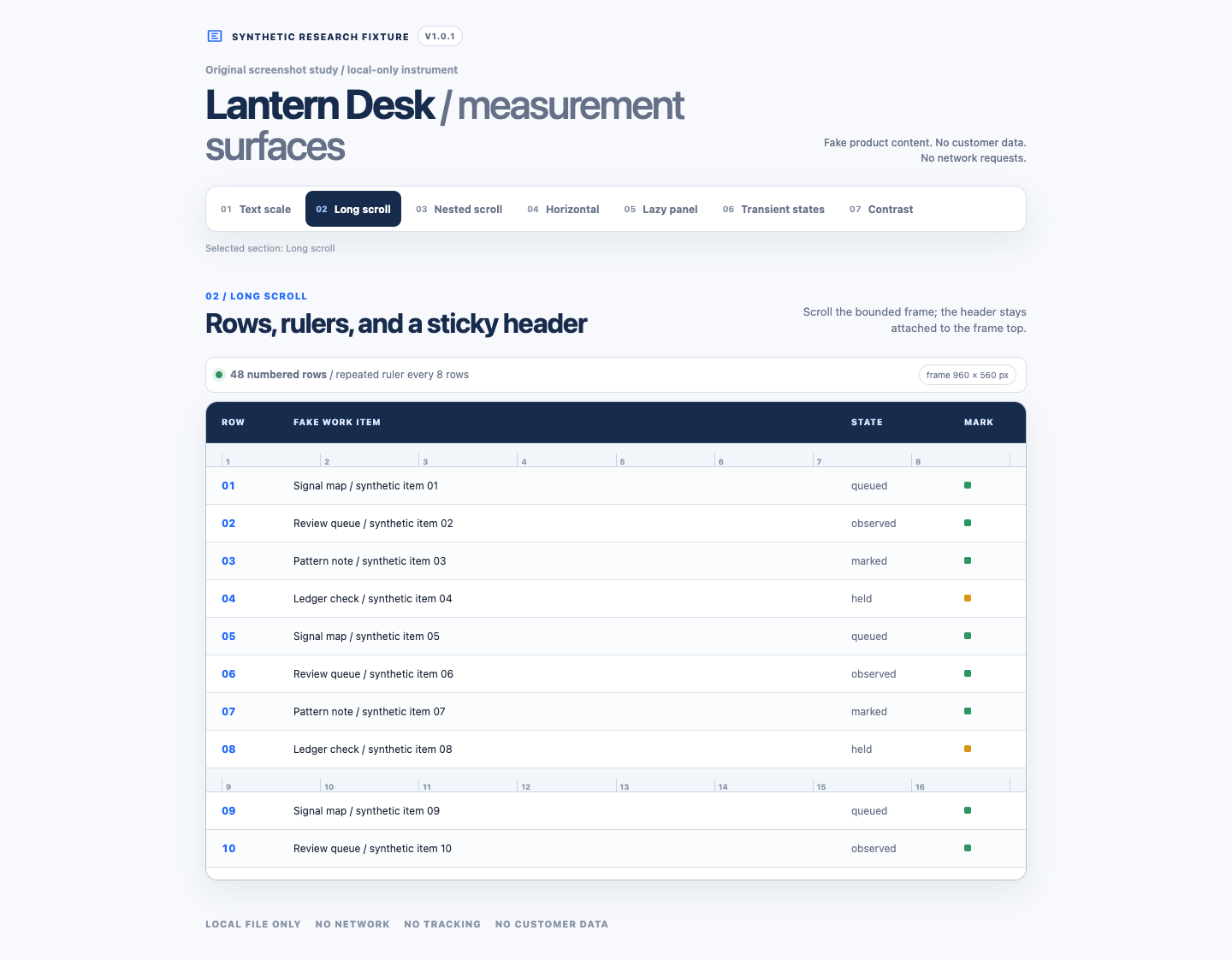
Top position: the panel visibly shows rows 01–10 while the surrounding page remains the same.
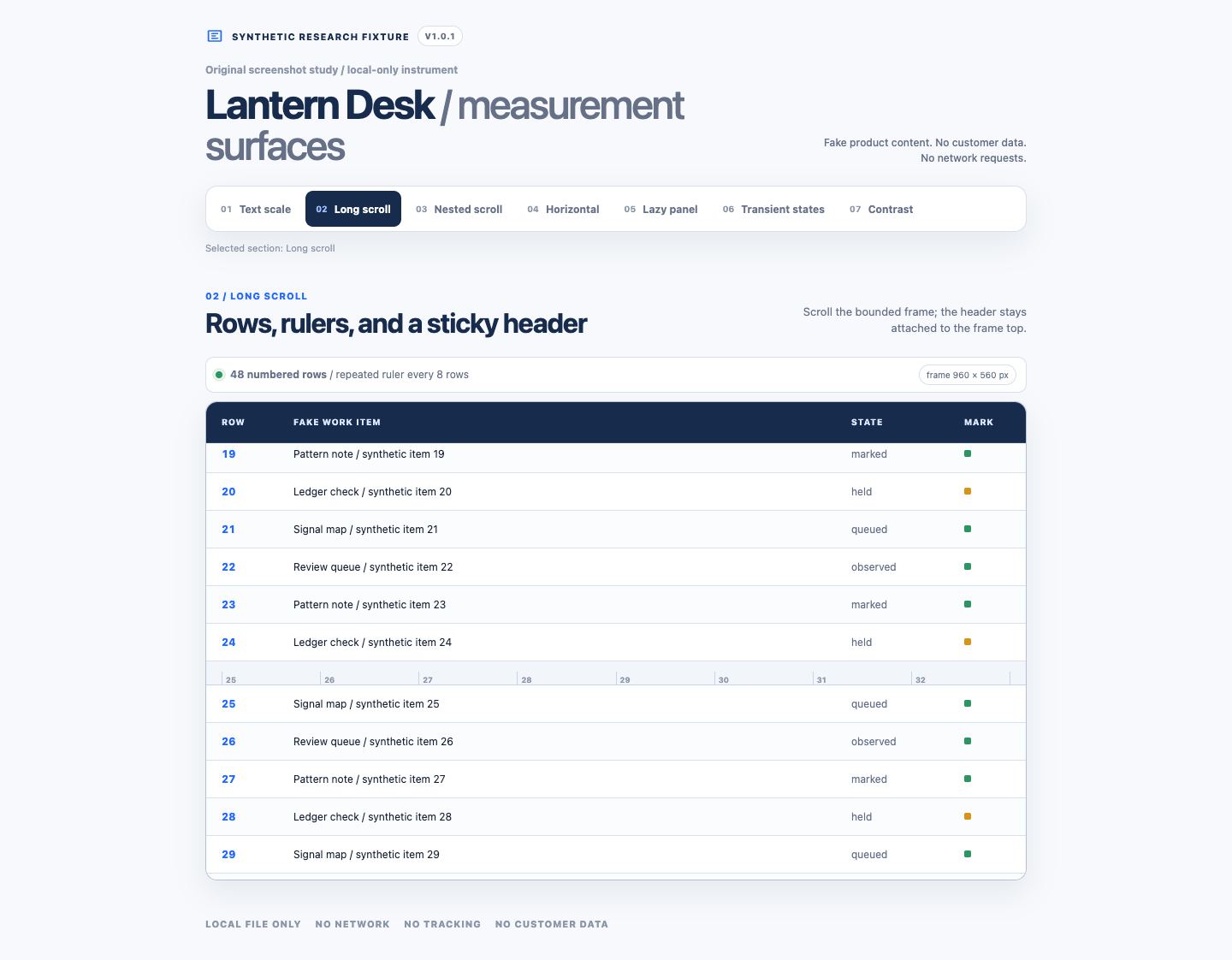
Middle position: the panel visibly shows a middle span, rows 19–29.
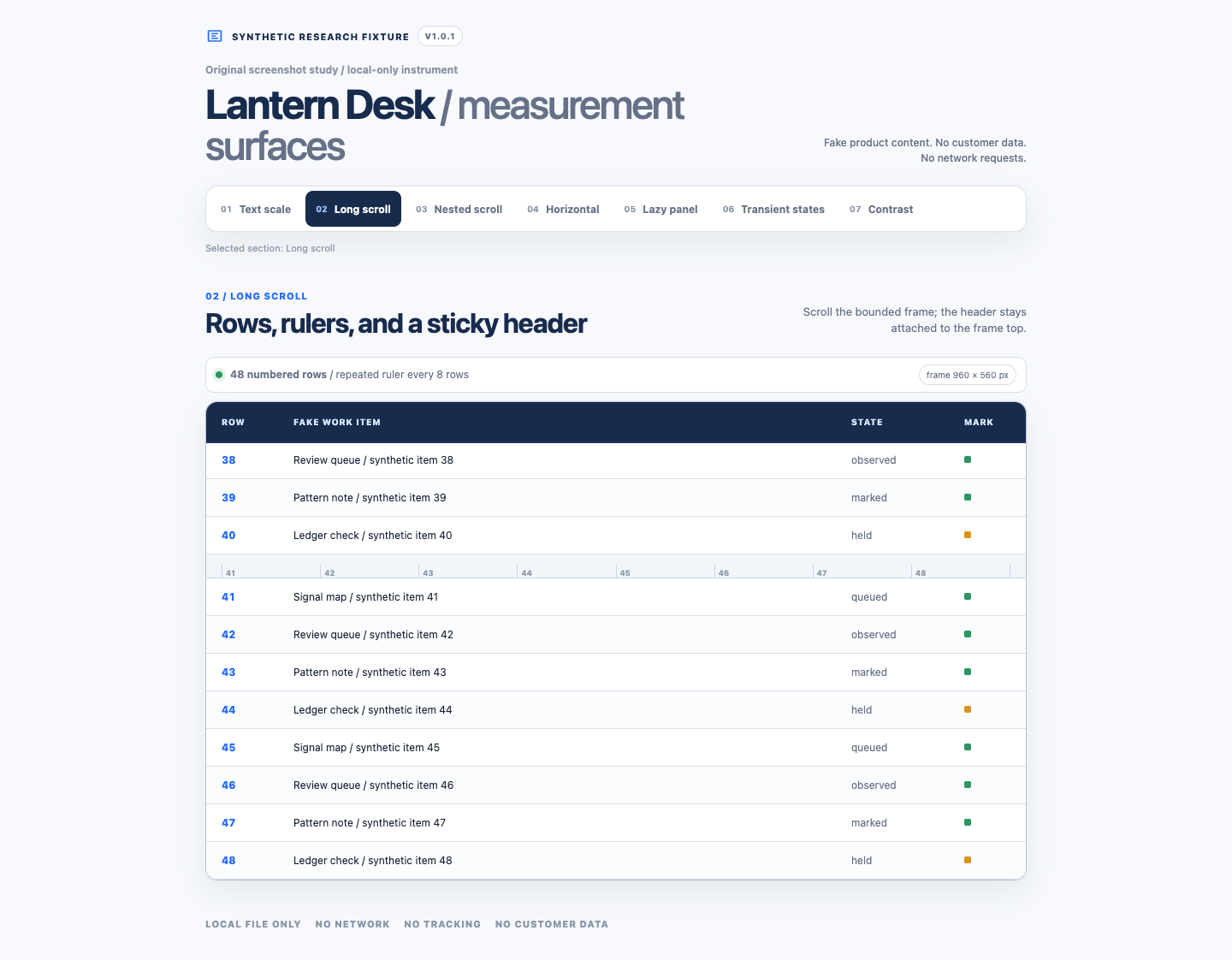
Bottom position: the panel visibly shows rows 38–48.
The selected images demonstrate why position matters. The fixture has 48 rows, but these are three position-specific views of a 560-pixel panel. They do not establish that one full-page output contains every identifier from 01 through 48. Across these three images, 32 of the 48 labels are visible. Labels 11–18 and 30–37 are not pictured.
For the long-scroll states, the full-page PNGs measure 1,440 × 1,122 pixels while the viewport PNGs measure 1,440 × 1,000. That extra page height is not the same thing as extra inner-panel content. The panel can remain 560 pixels tall while the document around it grows.
Turn the check into a reproducible handoff
Use a disposable document or a non-sensitive sample of the workflow you need to capture.
- Define the range. Prepare rows labeled
Row 01throughRow 48, with visibly different text at rows 10, 20, 30, 40, and 48. If you cannot edit the content, use existing unique identifiers and write down the expected range. - Fix the view. Keep the window size, browser zoom, panel width, and capture settings unchanged. Note the app, browser, capture-tool, and operating-system versions.
- Capture the panel. Choose a method that targets its scrolling content. Preserve the unedited output before cropping or annotating. Save both the viewport and full-page file when the tool offers both.
- Inspect three positions. Check the top, a middle position, and the bottom. Record the first and last visible identifiers in each image. This catches a panel that changes while the page around it stays stable.
- Inspect the sequence. Compare the expected identifiers with the identifiers found. Check repeated rulers, sticky headers, and joins around them. Do not infer complete coverage from image height or endpoints alone.
- Change one variable if it fails. For a stitched capture, try slower scrolling. For a clipped panel, change the target or capture method. Keep both files so the difference remains visible.
Use two columns in your notes: “expected identifiers” and “identifiers found.” A file containing rows 01–12 and 20–48 has 41 of the expected 48 rows. It is incomplete even if the join looks clean. That is example arithmetic, not an observed commercial-tool failure.
When sharing the result, state the range you verified: “Rows 01–48 checked; panel captured separately from the surrounding dashboard.” If only the endpoints or three positions were checked, say that instead.
Research scope: documentation retrieved September 19, 2026, plus the two deliberately selected reports above and two local, network-disabled Chrome runs on September 20, 2026. The reports concern screenshot libraries, not a representative sample of Mac users. The owned fixture isolates target and scroll geometry; it does not establish compatibility, reliability, or prevalence for another app.
Disclosure
Ali owns LazyScreenshots. That creates a conflict when he writes about LazyScreenshots or reviews competitors, so relevant pieces say so plainly. These articles are research and opinion, not independent third-party ratings.